


How to get refund for a game brought on steam.
- Ajay Boddinagula
- Feb 2, 2020
- 1 min read
Over the years steam has become one of the most popular destinations for gamers. There are numerous games on steam that can be brought and played at a reasonable price. However, when there are so many games to choose from, then you're bound to make some wrong decisions.

So, if you have spent your money on a game that isn't worth it, you can very easily get a refund on Steam.
Follow the steps below
There are two main conditions to be followed to get refund for a game.
you have to return the game within 14 days of purchase.
you need to play not more than 2 hours of the game.
How To Refund A Game On Steam?
1) Go to help.steampowered.com and login with your Steam ID.
2) Next, click on Purchases.

3)Now, select the game you want to refund

(Note: If you don’t see the purchase you want to refund on the list, then your purchase is too old and isn’t eligible for a refund.)
4) Select any one reason for which you wish to get a refund.
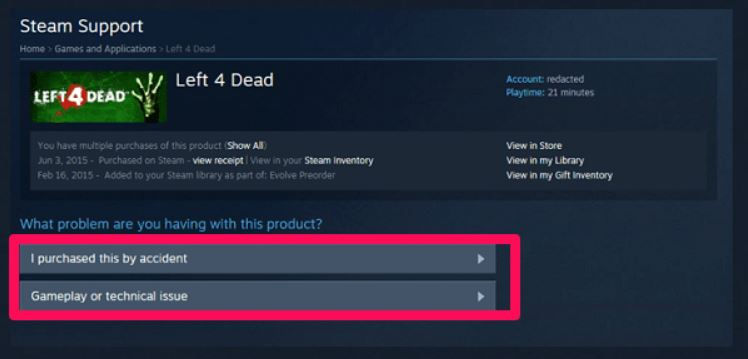
5) Click on I’d like to request a refund.

6) Finally, fill up the request form and click on Submit Request.

(Note: From the drop-down menu, select where would you like to receive the Steam refund amount.)
That’s it. Now, you’ll get a confirmation email from Steam that your refund request has been submitted.

Comments